
PS Remote Play
Screenshots
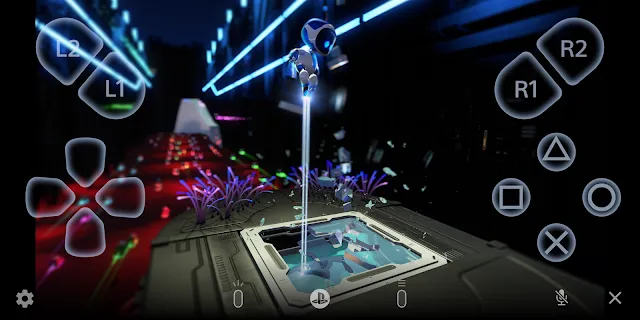
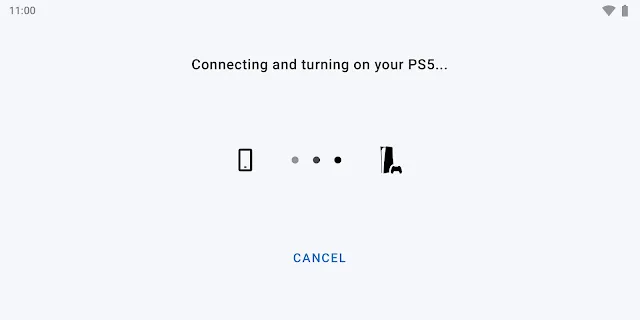
PS Remote Play is a powerful tool for gamers who want to enjoy their console titles without being glued to a television. This application allows you to stream your PlayStation 5 or PlayStation 4 games directly to a handheld device. By using your local Wi-Fi or mobile data, you can transform your smartphone into a portable gaming station. This technology ensures that your gaming sessions never have to end just because someone else needs the TV.
How to Set Up PS Remote Play
Setting up the application is a straightforward process that takes only a few minutes. First, you need to ensure your console is ready for a remote connection. Navigate to the settings menu on your PS5 or PS4 and enable the remote play feature. You should also adjust your power settings to allow the console to wake up from rest mode via the network.
Once your console is ready, download the official app from the store. Sign in using your PlayStation Network account to link your devices. The app will automatically search for your console over your network. After the connection is established, your console’s home screen will appear on your mobile display. You can then navigate menus and start games exactly as you would on a television.
System Requirements for PS Remote Play
To enjoy a smooth experience, your hardware must meet specific requirements. Your mobile device should run a modern operating system to support the latest app features. For the best results, use a device running version 12 or higher. This ensures compatibility with advanced controllers and provides better stability during long play sessions.
A strong internet connection is the most critical requirement for streaming. While a minimum speed of 5 Mbps is required, a connection of 15 Mbps or higher is recommended for high-definition gameplay. Using a 5GHz Wi-Fi band or a high-speed mobile data plan helps reduce lag. If you use mobile data, keep an eye on your usage limits, as high-quality game streaming consumes a significant amount of bandwidth.
Enhancing the PS Remote Play Experience
Playing high-end games on a touchscreen can be challenging for many users. Fortunately, the app supports physical controllers to provide a more traditional feel. You can pair a DualSense or DualShock 4 controller via Bluetooth to gain precise control over your movements. This setup turns your phone into a true portable console.
Other accessories can also improve your mobile gaming sessions. Phone clips allow you to mount your device directly onto your controller for a comfortable viewing angle. If you prefer an integrated look, specific mobile controllers wrap around your phone to mimic the design of a handheld system. These additions make it easier to play competitive titles or complex RPGs where fast reflexes are necessary.
Benefits of Using PS Remote Play
The primary advantage of this service is the total freedom it provides. You are no longer restricted to one room or one screen. Whether you are relaxing in bed or traveling away from home, your entire game library remains accessible. This flexibility is perfect for finishing side quests or checking in on live-service games during a break.
- Play games in any room of the house.
- Access your library while traveling or on vacation.
- Keep your console progress synced across all devices.
- Use the mobile keyboard for faster text entry in chats.
- Join party voice chats using your phone’s microphone.
The app also serves as a convenient way to manage your console. You can start downloads or manage your storage while you are away. This ensures your games are ready to play the moment you sit down at your main setup.
Troubleshooting Your PS Remote Play Connection
Sometimes you might encounter lag or connection drops while streaming. If the video quality fluctuates, try moving closer to your Wi-Fi router. Physical obstacles like walls and furniture can weaken the signal. If you are using mobile data, ensure you have a strong 5G or LTE connection to maintain a steady stream.
- Restart your router to clear any network congestion.
- Lower the video resolution in the app settings to save bandwidth.
- Check if other devices on your network are hogging the connection.
- Ensure your console is connected via a LAN cable for maximum stability.
- Update both the app and your console software to the latest versions.
If the app cannot find your console, double-check that you are signed into the same account on both devices. Also, verify that your console is either fully powered on or in rest mode with the proper network settings enabled.
Conclusion
PS Remote Play offers a seamless way to extend your gaming life beyond the living room. It bridges the gap between high-end console performance and mobile convenience. By following a few simple setup steps and ensuring a stable internet connection, you can play your favorite titles anywhere. The support for physical controllers and high-resolution streaming makes it a must-have tool for any dedicated gamer. Start exploring your library on the go today and never miss a moment of action.